
How to use a heat map tool to see where your business actually ranks
The smell of wet concrete always reminds me of a failed verification attempt in downtown Chicago. I was standing outside a storefront with a clipboard, looking at a physical address that existed in the real world but was a ghost in the digital one. This is the gritty reality of local search where a single GPS coordinate determines whether a business thrives or starves. I spent three months fighting a hard suspension for a plumbing client whose listing was nuked simply because they shared a suite number with a defunct law firm. Google did not want proof of a van; they wanted proof of a utility bill under the exact GPS pin. That experience taught me that the map pack is not a directory; it is a spatial battlefield. If you are still checking your rankings by typing a keyword into a desktop browser while sitting in your office, you are looking at a mirage. To see the truth, you have to move through the grid.
The truth about your static ranking data
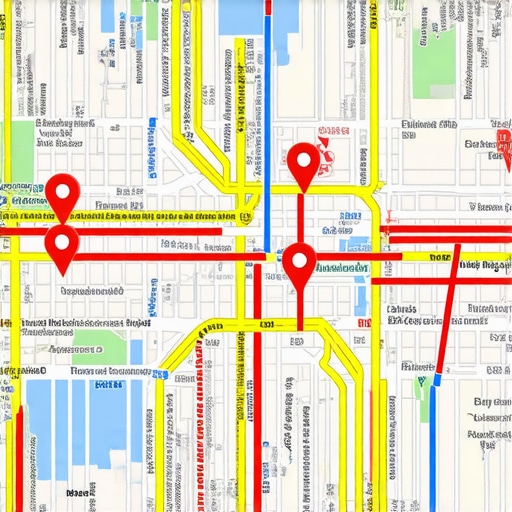
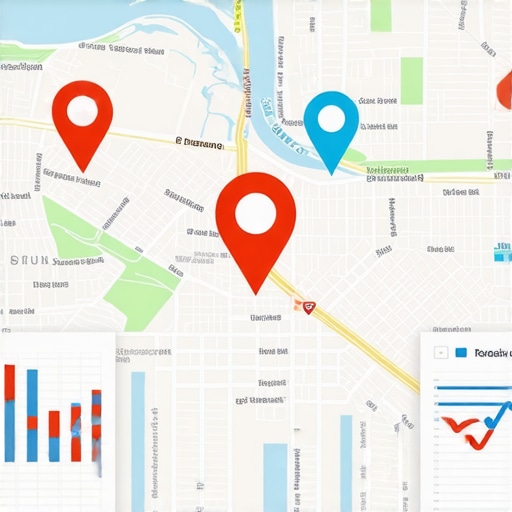
A local heat map tool reveals your Google Business Profile ranking across a geographic grid rather than a single point. It uses GPS coordinates to simulate user searches at varying distances from your storefront. This visual data exposes proximity-based ranking drops that standard SEO tools often hide from business owners. You might rank number one when you are standing in your lobby, but three blocks away, you are invisible. This is because search results are hyper-local. When you how to audit your map ranking without using biased search results, you start to see the fractures in your visibility. A heat map places a grid of nodes over your city. Each node represents a search performed at that specific latitude and longitude. Red dots mean you are buried on page ten. Green dots mean you are in the top three. Most businesses find they have a tiny circle of green surrounded by a sea of red. This happens because why most map software gives you inaccurate ranking data by ignoring the way distance affects the mobile algorithm. The map is a living organism, shifting every time a competitor updates their profile or a new review is filtered by the AI. To win, you must understand the math of the grid.
The three mile radius that determines your revenue
Proximity signals are the most dominant factor in the Google Map Pack algorithm, often outweighing organic SEO authority or review count. The three mile radius around a business is the primary conversion zone where the local algorithm prioritizes the physical location of the user. If your profile is not optimized for this spatial reality, your competitors will intercept your customers. I have seen businesses with thousands of reviews lose to a shop with ten reviews simply because the smaller shop was 500 feet closer to the searcher. This is the logic of the vicinity update. The algorithm calculates the distance from the user to the business centroid with extreme precision. If you are struggling with 3-hidden-reasons-your-store-missed-the-google-maps-3-pack, you need to look at how your location is perceived by the system. Google uses the primary signal google uses to verify your physical location to draw a digital fence around your service area. If you try to rank too far from your pin without the proper behavioral signals, the system will filter you out. You cannot brute force proximity with keywords. You have to earn it through relevance and local justification.
“Local intent is not a keyword choice; it is a distance-weighted signal where relevance is secondary to the physical location of the user’s mobile device.” – Map Search Fundamental
How to read a proximity heat map
Heat map visualization allows you to identify ranking gaps and competitor strongholds within your specific service area. By analyzing the grid nodes, you can see exactly where your Google Business Profile loses spatial salience. This data is essential for local seo services to normalize rankings after a major update or profile edit. When you look at a map tool, you are looking at the probability of a click. If you see a cluster of red nodes in a high-traffic neighborhood, that is a signal that your profile lacks the local relevance to compete in that specific zone. This is often caused by a lack of geo-tagged content or mismatched location data. You might need seo services to fix mixed listings for multi location businesses if your various branches are cannibalizing each other on the map. I have watched agencies spend thousands on backlinks when the real problem was a cluster of nodes that were being suppressed by a competitor using a keyword-stuffed business name. You need to how to audit your profile for hidden keyword stuff penalties before you trust the numbers. The heat map does not lie. It shows the raw, unfiltered reach of your digital presence.
Local Authority Reading List
- How to Audit Your Local Optimization Service
- Why Proximity to City Center is Dead
- Tools to Audit Your Interaction Score
- The Real Citation Cleanup Process
- Fixing Local Ranking Drops from AI
Why your physical address is a liability
Your physical address format and its proximity to competitors can trigger algorithmic filtering that removes your business from the 3-pack. If your business is located in a high-density cluster of similar companies, Google may hide your pin to provide search result diversity. This spatial filtering is a common reason for low gmb rankings despite high authority. I remember a locksmith who moved across the street to a cheaper office and saw his leads drop to zero. He had moved from a unique building into a shared space with three other locksmiths. Google viewed the entire building as a single entity and only showed the oldest listing. This is why you must understand why your store address format is confusing the map algorithm. If you are a service area business, the situation is even more complex. You are fighting for visibility in areas where you have no physical footprint. You need why your service area business keeps disappearing from the 3-pack to solve the disappearing act. The map treats every pixel as real estate. If you are not defending your territory with fresh, local signals, you are giving it away to the guy next door.
“A business listing is a proximity beacon, not a static directory entry; its visibility fluctuates based on the spatial density of competitors and the GPS latency of the searcher.” – Spatial Search Whitepaper
Tools to track and improve gmb rankings
Using automated local SEO software to monitor grid rankings is the only way to detect algorithm shifts before they destroy your lead flow. These tools provide historical ranking data and competitor comparison reports that identify which specific behavioral signals are driving the map pack. If you are a small business owner, you need a gmb ranking toolkit for small business owners that focuses on interaction rates. High rankings are no longer about just having a profile. It is about how people interact with that profile. Are they clicking to call? Are they asking for directions? These are the signals that move the needle. You can use how to rank fast using three specific behavioral signals to boost your nodes from red to green. If your current service is just checking a box, you are at risk. You should how to audit your map ranking service before visibility drops to ensure they are using real-time data, not cached results. The tools I use show me the ‘glitch’ in the storefront data. They show me when a competitor is using a bot to inflate their click-through rate. In the world of local search, if you are not monitoring the grid, you are flying blind.
The ghost in the GPS coordinates
Coordinate salience refers to the mathematical trust Google places in your map pin based on third-party data verification and user-generated photos. If your GPS metadata is inconsistent across the web, the map pack algorithm will demote your listing to avoid sending users to a false location. This is why why your business photos are being rejected by google if they lack clear EXIF data. Every photo taken at your shop by a customer acts as a micro-verification of your existence. When a customer uploads a photo, Google extracts the location data. If that data matches your pin, your trust score rises. If you are using seo services to clean up ai generated spam content penalties, you also need to look at your visual data. AI-generated images do not have the spatial footprint of a real photo. I always tell my clients to stop using stock images. You need why you should stop using generic stock photos on your map profile to understand the damage they do to your proximity trust. The algorithm wants to see the real world. It wants to see the sidewalk, the signage, and the people. That is how you prove you are not a ghost in the machine.
Fixing mixed listings for multi location businesses
Managing local search profiles for multi-location enterprises requires a centralized data strategy to prevent NAP (Name, Address, Phone) conflicts and duplicate listing penalties. When multiple branches compete for the same geographic keywords, the system often triggers a ranking suppression filter to prevent one brand from dominating the map. This is why you need specialized seo services to fix mixed listings for multi location businesses. Each location must have its own unique identity while maintaining brand consistency. If you have been tempted to use the risks of changing your business name to include keywords, be warned. This tactic often backfires for multi-location brands as it creates a footprint that is easy for the spam team to track and kill. Instead, focus on building local authority for each individual pin. Use the secondary category trick for catching missed search traffic to give each branch its own niche. The goal is to create a network of pins that work together, not against each other. When you master the grid for one location, you can scale the math to the next. The map is not infinite; it is a finite set of coordinates that you must claim one by one.